
0
Google Apps
January 10, 2023 @ 6:00 pm – 7:30 pm – Google Drive and Gmail Tools Learn to use a free Google apps for productivity and storage in the the google office workspace.

January 10, 2023 @ 6:00 pm – 7:30 pm – Google Drive and Gmail Tools Learn to use a free Google apps for productivity and storage in the the google office workspace.
January 17, 2023 @ 6:00 pm – 7:30 pm – Google Drive and Docs Learn to use a free Google apps for productivity and storage in the the google office workspace.
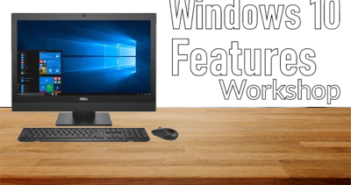
January 23, 2023 @ 6:00 pm – 7:30 pm – Organizing Files and Folders for Windows 10 David Cambillo, Instructor Learn how to organize your desktop, delete files, and remove programs with the control panel.
January 24, 2023 @ 6:00 pm – 7:30 pm – Google Drive and Sheets Learn to use a free Google apps for productivity and storage in the the google office workspace.
February 6, 2023 @ 6:00 pm – 7:30 pm – Learn how to create a simple presentation, create and edit slides, insert clip art, apply designs, work with views, and run a slide show in Microsoft PowerPoint.
February 7, 2023 @ 6:00 pm – 7:30 pm – Learn how to use a spreadsheet program
February 14, 2023 @ 6:00 pm – 7:30 pm – Learn how to create a simple presentation, create and edit slides, insert clip art, apply designs, work with views, and run a slide show in Microsoft PowerPoint.
February 21, 2023 @ 6:00 pm – 7:30 pm – Learn how to use a spreadsheet program

February 27, 2023 @ 6:00 pm – 7:30 pm – Course: Microsoft Word 2019 (Word Processing) Learn how to create and save new documents, open and rename existing documents, how to use the standard and formatting toolbars and the right mouse click, as well as use different font types and sizes. Create tables and templates, set tabs and margins, save and print documents, cut, copy […]
February 28, 2023 @ 6:00 pm – 7:30 pm – Course: Microsoft Word 2019 (Word Processing) Learn how to create and save new documents, open and rename existing documents, how to use the standard and formatting toolbars and the right mouse click, as well as use different font types and sizes. Create tables and templates, set tabs and margins, save and print documents, cut, copy […]